Follow us on Social Media


AI POWERED BACKUP PROTECTION YOU CAN TRUST
SQL AI Cloud Protects Your Business Before Disaster Happens
Secure your SQL Accounting backups with AI powered validation, ransomware detection, intelligent cloud storage, and reliable offsite protection—all in one solution.

What is SQL AI Cloud?
SQL AI Cloud is an AI-powered backup protection platform for SQL Accounting Desktop users. It securely stores your SQL Accounting backups offsite while using AI to validate backup health, detect ransomware threats, and intelligently manage cloud storage, ensuring your backups are always reliable and ready for recovery.

Why Choose SQL AI Cloud?
Smart Cloud Space Recycling
AI automatically manages backup retention without requiring manual cleanup.
Reduce storage waste while always keeping the most valuable recovery versions.
Secure Offsite Backup
Automatically upload SQL accounting backup files to secure cloud storage without changing your existing workflow.
Protect your business even if your office computer or servers are damaged.
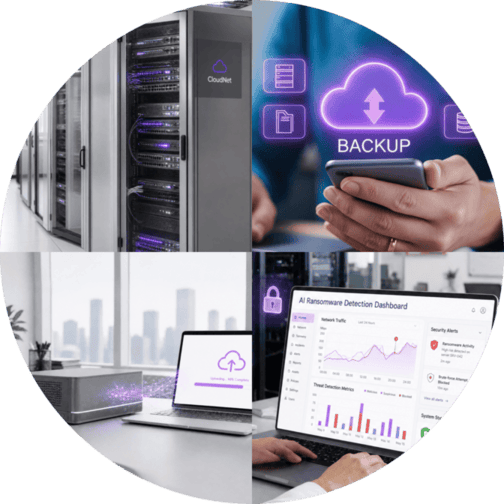
AI Backup Upload File Health Validation
Automatically validates every uploaded backup file to ensure it is complete and recoverable.
Reduce storage waste while always keeping the most valuable recovery versions.
AI Ransomware Detection
SQL AI Cloud monitors backup behaviour and identifies unusual file activity that may indicate ransomware infection or compromised backups.
Avoid backing up infected or encrypted files and maintain clean recovery points.
Local Backup
❌Stored on PC, server, or external drive
❌Risk of hardware failure or disaster
❌Backup health is unknown
❌No ransomware detection
❌Manual backup cleanup
❌Recovery depends on backup quality
SQL AI Cloud
✅Secure offsite cloud backup
✅Protected with offsite storage
✅AI verifies every backup for 100% recovery readiness
✅AI detects suspicious backup activity
✅AI Smart Cloud Space Recycling
✅Greater confidence when restoring data


How SQL AI Cloud Works


Step 1:
Create your SQL Accounting backup.
Step 2:
Automatically upload to SQL AI Cloud.
Step 3:
AI validates backup health and scans for ransomware.
Step 4:
Backup is securely stored and managed automatically.
Key Benefits

Recover with Confidence
AI validates every backup before storage.

Protect Against Ransomeware
Maintain clean backup copies ready for recovery.

Save-Cloud Storage Automatically
AI intelligently recycles backup history.

No Manual Backup Management
Everything runs automatically in the background.

Designed for SQL Accounting
Built specifically for SQL Accounting desktop users.
AI Cloud Pricing
Protect every SQL Accounting company with a single annual subscription. Enjoy AI powered backup validation, ransomware detection, secure offsite backup, and intelligent cloud space management without paying per company.
RM199/year
RM99/year
One Affordable Subscription Includes
✅Secure Offsite Backup
✅AI Backup Health Validation
✅AI Ransomware Detection
✅Unlimited SQL Accounting companies
✅Smart Cloud Space Recycling
Who Is SQL AI Cloud For?
If your business relies on SQL Accounting every day, protecting your backup should be just as important as protecting your data. SQL AI Cloud is ideal for businesses using SQL Accounting Desktop Edition, including
Frequently Asked
Questions

What happens if my internet connection is unavailable?
Your SQL Accounting system continues to operate normally. Once your internet connection is restored, your scheduled backup can be uploaded to SQL AI Cloud.
Will SQL AI Cloud slow down my SQL Accounting performance?
No. SQL AI Cloud works in the background and is designed to minimize disruption to your daily accounting operations.
Can I choose when my backups are uploaded?
Yes. You can configure your backup schedule based on your business requirements, allowing backups to run at a convenient time.
What happens if a backup fails?
SQL AI Cloud validates every uploaded backup. If a backup cannot be uploaded or does not pass validation, you'll be able to identify the issue and create a new backup, helping ensure a reliable recovery point is always available.
Can I access older backup versions?
Yes. SQL AI Cloud intelligently retains multiple backup versions based on its Smart Cloud Space Recycling policy, allowing you to restore from an earlier recovery point when needed.
Do I need to manually delete old backup files?
No. SQL AI Cloud automatically manages backup retention and cloud storage, so you don't need to spend time removing outdated backup files.
What if I manage multiple SQL Accounting databases?
No problem. A single SQL AI Cloud subscription covers unlimited SQL Accounting companies, making it ideal for businesses and accounting firms managing multiple databases.
Is SQL AI Cloud suitable for accounting firms?
Yes. Whether you manage your own business data or multiple client databases, SQL AI Cloud helps protect every SQL Accounting company under one subscription.
Do I need any additional hardware?
No. SQL AI Cloud is an offsite cloud backup solution, so there's no need to purchase additional backup servers or storage devices.
Can I continue using my existing backup process?
Yes. SQL AI Cloud complements your existing SQL Accounting backup routine by securely storing backup files offsite while adding AI powered validation and intelligent backup management.
How much cloud storage do I need?
SQL AI Cloud automatically optimizes storage using Smart Cloud Space Recycling, reducing unnecessary backup duplication while preserving important recovery points.
Can SQL AI Cloud help protect against ransomware?
SQL AI Cloud includes AI powered ransomware detection to identify suspicious backup activity and help maintain clean recovery points. While no solution can prevent every cyberattack, it provides an additional layer of protection to support your backup strategy.


Ready to transform your business?
Get a FREE DEMO with our experts today!
📞 +6013-456 8000